
JBrowser
New in 1.5.3: the Gallery

Welcome to the internet - again.

Your pages side by side on one calm canvas. Private by default. Made for Windows 11.

Version 1.5.3 · 108 MB · Windows 10 & 11 · Free and open source

  • Spacesseparate logins
  • EasyListad & tracker blocking
  • Chromiumevery site works
  • Updatesitself, verified

A closer look

Everything in its place.

An endless canvas

Pages sit side by side instead of hiding behind tabs. Split them into halves, thirds or quarters.

  • Alt+Shift+D splits 50/50
  • Scroll past the end for a new card
  • Drag cards to reorder

Make it yours

Ten gentle tints.

A soft wash over the frosted glass, never a paint job. Pick one below: these are real screenshots.

No colour

Also: dark or light, Acrylic, Mica or Solid, and your Windows accent colour.
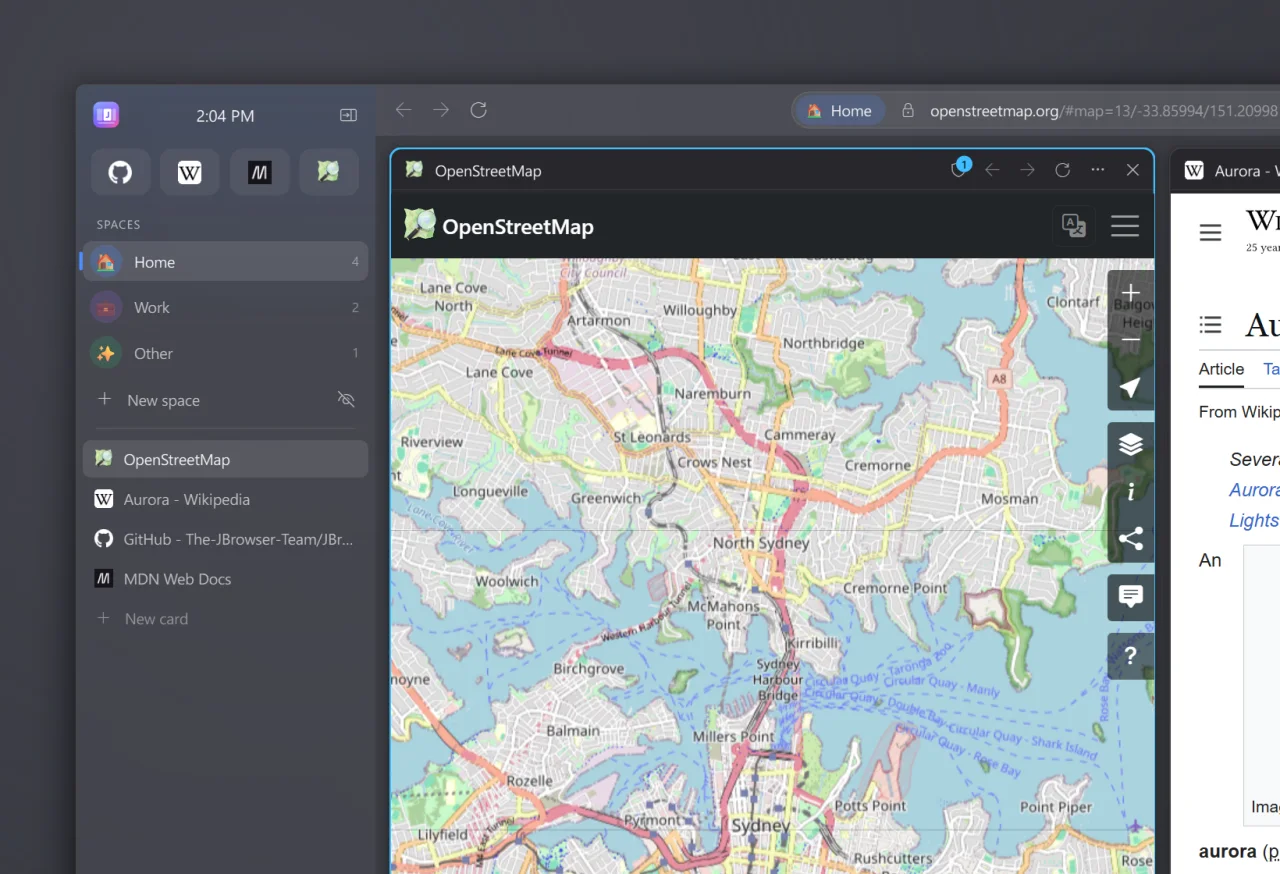
The corner of the JBrowser window with no colour tint

Why JBrowser

Calm by design.

Endless canvas

Pages side by side, not hidden in tabs.

Isolated spaces

Separate logins for work, home and everything else.

The Gallery

Every card at a glance, across every space.

Keyboard first

One box for sites, searches and commands.

Private by default

Ads, trackers and scam sites blocked.

Light on memory

Idle cards sleep. Music and calls never do.

Open source

Nothing hidden.

Every line of JBrowser is public on GitHub. Anyone can read how it works, check what it sends, build it themselves or suggest a change. It's free under the GNU GPL, and it stays that way.

Read every line

The whole browser is on GitHub, with guides for every part.

Checked downloads

Every release is built from its public code and has a published fingerprint.

Free, for good

Made by a small team, not an ad company. The GPL keeps it free.

Get started

Ready in a minute.

  1. 1
    Download

    The installer for Windows 10 and 11. No administrator rights needed.

  2. 2
    Open it

    If Windows asks, choose More info, then Run anyway.

  3. 3
    Make it yours

    A short welcome sets the look, search and protection.

What's new in 1.5.3

  • The one-line PowerShell install works again
  • Simpler downloading
  • A new "Nothing hidden" section on the website
  • Ready for jbrowser.app
Full changelog

For developers

Built in Python.

PyQt6 and Chromium. Guides and an API reference for every version.

Get JBrowser

For Windows 10 and 11

Download for Windows

Free and open source · No account needed · Version 1.5.3

Then install it

  1. 1

    Open JBrowser-Setup-1.5.3.exe from your Downloads.

  2. 2

    If Windows says "Windows protected your PC", click More info, then Run anyway. JBrowser is new, so Windows doesn't recognise it yet.

  3. 3

    Follow the installer. JBrowser opens when it's done.

Or install with one command (no Windows warning)
  1. 1

    Open PowerShell: press the Windows key, type PowerShell, press Enter.

  2. 2

    Paste this line and press Enter:

irm https://raw.githubusercontent.com/The-JBrowser-Team/JBrowser/main/install.ps1 | iex

It downloads JBrowser from our GitHub releases, checks the file's fingerprint and opens the same installer. Read the script.